Your team's tasks live in WhatsApp, but your reports and field data are scattered across apps that don't talk to each other. That gap between where work happens and where it's tracked is why you're evaluating AI task automation tools right now.
By the end of this article, you'll have a concrete checklist for evaluating cloud sync, including real-time consistency, offline behavior, and conflict resolution. You'll also see how five specific tools stack up against those criteria, with a clear recommendation for the best overall option based on your team's workflow.
What to Look For in Cloud Sync for AI Task Automation
When evaluating cloud sync for AI task automation, prioritize real-time data consistency, robust conflict resolution, and offline capabilities to ensure seamless team operations. These three pillars determine whether your automated workflows run smoothly or stall at the worst possible moments.
AI task automation tools rely on cloud sync to keep every trigger, action, and status update aligned across your team workspace. A sync failure can cause duplicate tasks, missed deadlines, or automation rules firing on stale information. The right solution eliminates these risks before they disrupt your operations.
Consider how your team actually works. Some members may be in the office, others remote, and a few traveling through areas with unreliable connectivity. Your cloud sync must handle all these scenarios gracefully while maintaining data consistency across every device.
Key criteria to evaluate include sync speed, bandwidth usage, and how the tool handles simultaneous edits. Look for solutions that offer clear audit trails and version history so you can trace any change back to its source. These features protect your workflow automation investments and give your team confidence in the system.
Real-Time Data Consistency Across Devices
Real-time data consistency ensures that every team member sees the same task updates instantly, preventing costly miscommunications. When an automation rule moves a task from one stage to another, that change should appear on every screen within seconds. Delays create confusion and force team members to question which version of the truth is current.
Typical real-time sync solutions deliver updates within a few seconds under normal network conditions. However, sync speed depends heavily on connection reliability and the efficiency of the sync engine. Block-level sync and delta sync technologies reduce bandwidth usage by transmitting only the changed portions of files rather than entire documents.
Consider how the tool handles bidirectional sync across multiple devices. A team member updating a task on their phone while another updates the same task on a desktop creates a potential conflict. The system must reconcile these changes quickly and transparently without losing either update.
Evaluate the tool's performance during peak usage. Some sync engines degrade when hundreds of changes occur simultaneously. Incremental sync capabilities ensure that only new or modified data transfers, keeping the system responsive even as your team scales. Reliable network connections remain essential, but good sync software compensates for brief interruptions with automatic retry logic.
Offline Access and Conflict Resolution
Offline access and conflict resolution are critical for teams working in areas with unreliable connectivity, ensuring no task is lost. The best cloud sync tools let team members continue working on tasks, updating statuses, and adding notes even when the internet drops. These changes queue locally and synchronize automatically once the connection returns.
Conflict resolution strategies vary between tools. Last-write-wins is the simplest approach, accepting the most recent change and discarding the earlier one. Version merging is more sophisticated, combining changes from multiple users into a single coherent result. For AI task automation, the right strategy depends on how frequently your team edits the same items simultaneously.
When evaluating a solution, ask how it handles simultaneous edits to the same task. Does it notify users of conflicts immediately? Can users review conflicting versions before choosing which to keep? Look for tools that preserve version history so you can recover from mistakes without losing work.
Selective sync is another important feature for offline scenarios. Teams can choose which folders or projects sync to specific devices, reducing storage requirements and bandwidth usage. This approach ensures that critical task data is always available locally while less important files remain cloud-only.
Consider the tool's retry logic and error handling. A quality solution automatically retries failed syncs, logs errors for later review, and alerts users when changes cannot be synchronized. These features prevent silent data loss and give you confidence that your AI task automation workflows remain accurate regardless of connectivity challenges.
1. Tasks.Bot - Best Overall
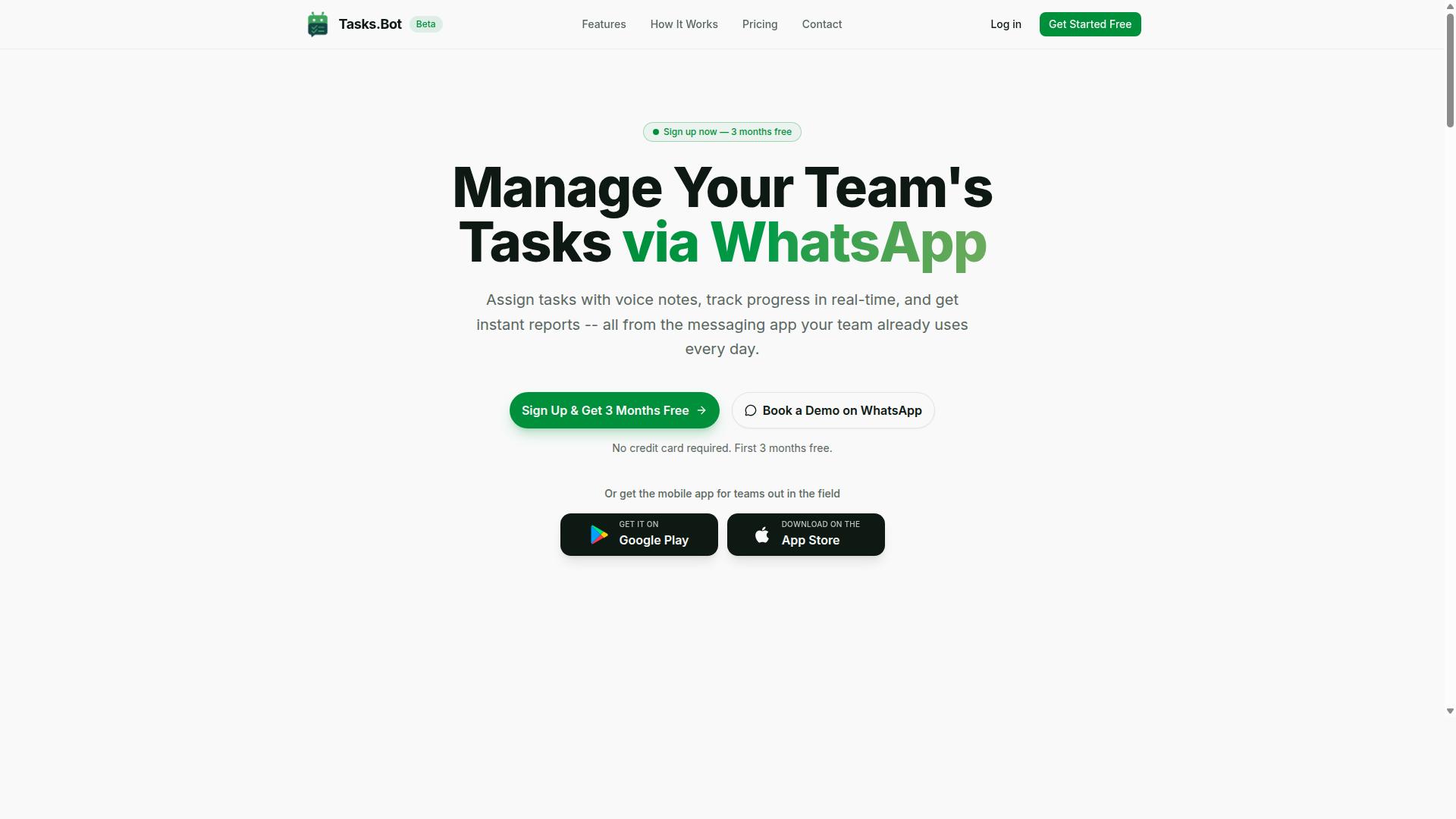
Tasks.Bot stands out as the best overall choice for teams that rely on WhatsApp, offering seamless cloud-backed sync directly within the messaging app. Rather than forcing teams to adopt yet another dashboard, this platform meets people where they already communicate daily.
The service operates entirely within WhatsApp, so team members do not need to install anything or create new accounts. Tasks are assigned, progress is tracked, and reports are delivered inside the familiar messaging interface, which removes the usual adoption barriers that slow down workflow automation projects.
For field teams, Tasks.Bot also provides a mobile app with push notifications, voice capture, and a home screen widget. The platform is currently in beta and offers a free trial period, making it an easy option to evaluate. Its combination of cloud sync, AI-driven task creation, and real-time updates makes it the most complete package for teams that want automation without leaving their chat app.
Native WhatsApp Integration with Cloud-Backed Sync
Tasks.Bot's native WhatsApp integration means tasks are created and synced in real time without requiring team members to install separate apps. The AI understands user intent and creates tasks directly from messages, turning a simple chat into a command center for team operations.
Cloud sync ensures data consistency across all devices, so a task created on a desktop conversation appears instantly on a field worker's phone. This real-time sync eliminates the confusion that comes from stale information or manual updates, which is a common pain point in multi-user collaboration.
Beyond basic task creation, the platform includes automatic task assignment and smart deadline reminders. Approvals and automations handle routine workflows, while instant reports give managers a clear view of what is happening across the team. For teams already living in WhatsApp, the learning curve is essentially zero, and the cloud-backed sync means everyone always works from the same version of the truth.
Voice-to-Task Sync and GPS-Enabled Field Tracking
Voice-to-task sync and GPS tracking make Tasks.Bot particularly powerful for field teams, enabling hands-free task creation and location-based updates. Instead of typing out details on a small screen, a worker can simply record a voice note and let the AI convert it into a structured task, synced instantly to the cloud.
The natural language processing understands conversational phrasing, so voice notes do not need to follow a rigid command format. This makes the tool accessible to workers who are on the move, driving between sites, or wearing gloves on a job site. The hands-free workflow keeps productivity high without sacrificing accuracy.
GPS-enabled features include tasks on a map and a live day tracker, giving managers a real-time view of field staff locations. Face-verified attendance adds an extra layer of accountability, while shifts, leave, and hours management keep administrative work in one place. Enterprise-grade encryption ensures that conversation and task data are never shared or used for training, so sensitive location information stays protected.
2. Reminderly.ai
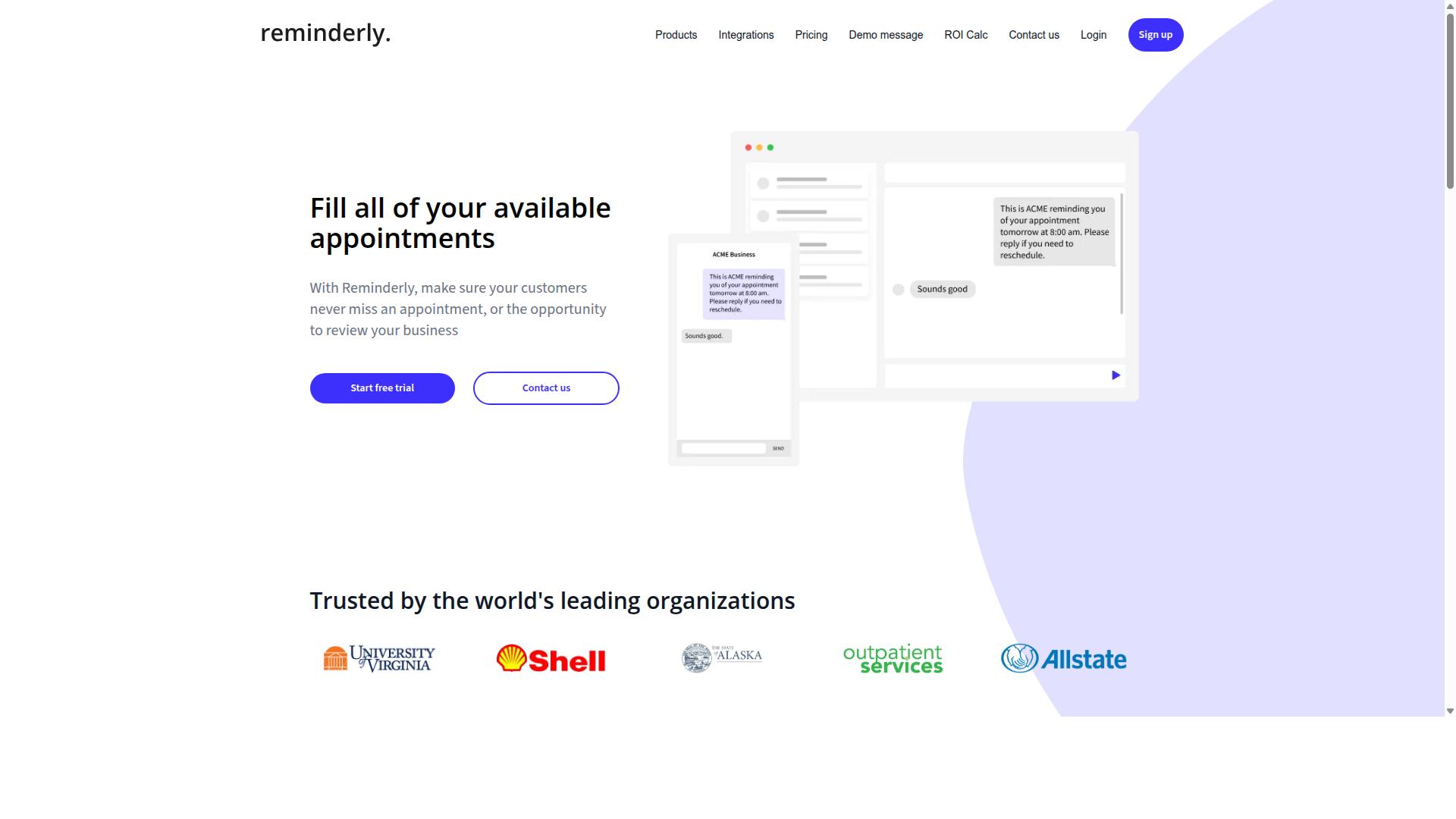
Reminderly.ai focuses on AI-powered reminders and scheduling, but its cloud sync capabilities may be more limited for complex team workflows. The platform positions itself as a smart assistant that helps individuals stay on top of time-sensitive tasks and appointments.
Its core strength lies in automated scheduling and intelligent reminders, where the AI interprets natural language inputs to create and manage calendar events. For solo users or small teams with straightforward scheduling needs, this approach can reduce the friction of manual planning.
However, when evaluating cloud sync for multi-user collaboration, Reminderly.ai appears to target individual productivity rather than shared team workspaces. The platform may handle basic calendar synchronization, but real-time sync for collaborative projects and role-based access controls are not emphasized as primary features.
Teams that need file synchronization across multiple projects or detailed audit trails for compliance may find the tool less suited to those requirements. For users whose main priority is simple, AI-driven scheduling and reminder automation, Reminderly.ai offers a focused solution worth considering.
3. TaskRio
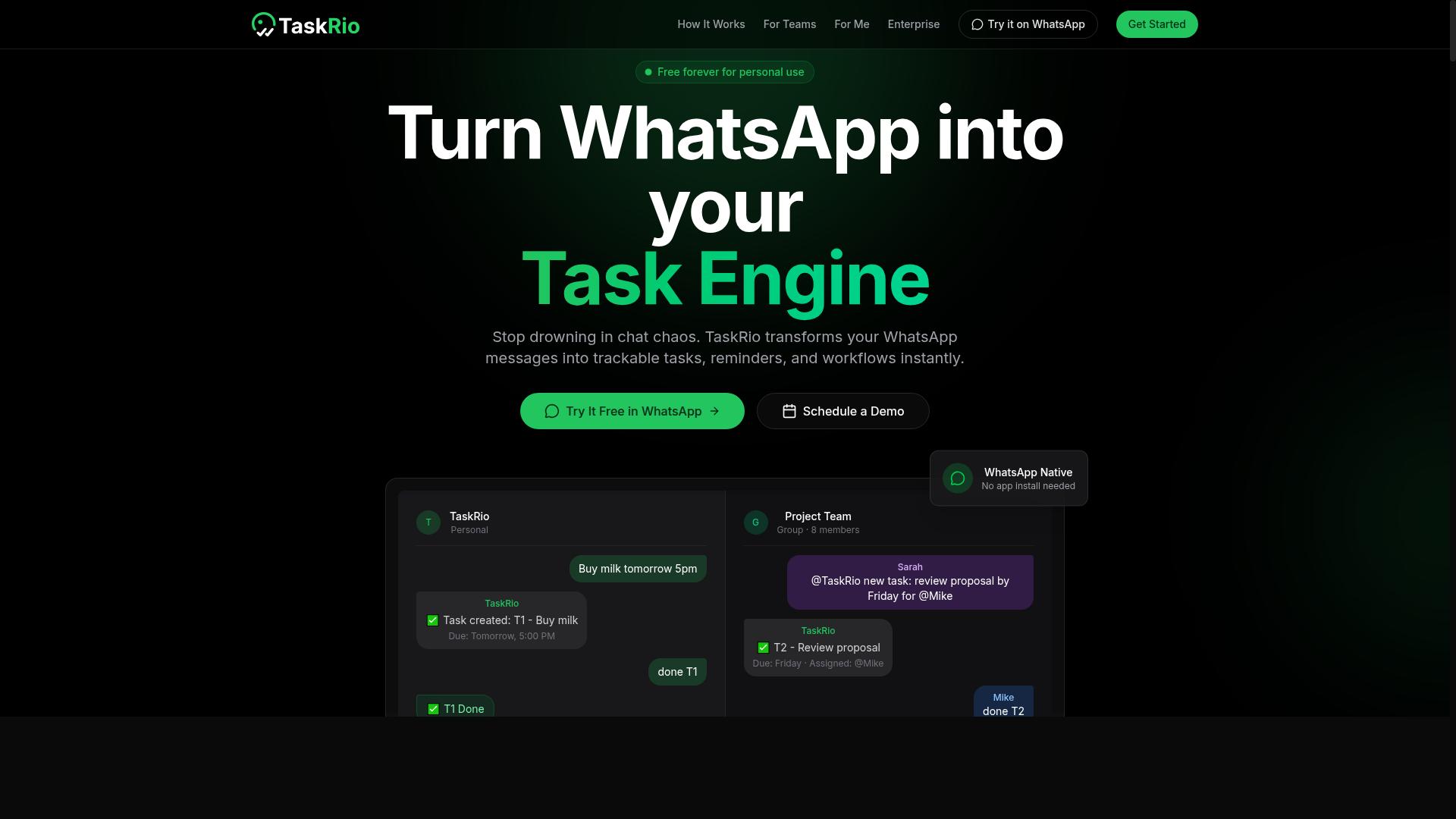
TaskRio offers a cross-platform task management solution with decent sync, but it may lack the AI-driven automation of more specialized tools. It works across multiple devices, which makes it a practical choice for teams that need basic task tracking without a steep learning curve.
The platform handles standard file synchronization and keeps your task lists updated across devices. For everyday project coordination and simple to-do management, the sync capabilities are generally sufficient and reliable.
Where TaskRio falls short is in advanced AI task automation. The tool does not appear to offer the same level of intelligent workflow automation found in dedicated AI-powered platforms. Users looking for automated task prioritization or smart scheduling may find the options limited.
Real-time sync is another area with potential limitations. While updates eventually propagate across devices, the platform may not provide the instant, block-level sync that power users expect from premium tools. This can create minor delays in multi-user collaboration scenarios.
For teams prioritizing simplicity and cross-platform reach, TaskRio remains a viable option. However, organizations that depend on complex automation rules, conditional logic, and sophisticated API integration should evaluate whether the platform meets those deeper requirements.
4. Karo.bot
Karo.bot leverages WhatsApp for task management, but its cloud sync and automation features may not be as comprehensive as dedicated platforms. This tool positions itself as a convenient bridge between everyday messaging and productivity, allowing users to capture tasks without leaving their chat interface.
The primary appeal here is familiarity and low friction. If your team already lives in WhatsApp, the barrier to adoption is minimal. You can create tasks, set reminders, and manage simple workflows through natural conversation, which works well for small teams or informal project tracking.
However, when you evaluate it against the cloud sync criteria that matter, some gaps become apparent. Conflict resolution and version history are areas where chat-based tools often struggle, since messages are ephemeral and not designed to maintain structured data consistency. If two teammates edit the same task simultaneously, the platform may not offer clear mechanisms to reconcile those changes.
Advanced AI capabilities also tend to be lighter in this category. While basic natural language parsing can extract due dates and assignees, complex conditional logic and multi-step workflow automation are typically better served by tools built specifically for that purpose. For teams needing robust file synchronization, real-time sync across cloud services, or detailed audit trails, a dedicated platform will likely provide more depth.
Karo.bot can be a useful entry point for WhatsApp-centric teams. Just be aware that as your automation needs grow, particularly around data consistency and error handling, you may need to graduate to a solution with more sophisticated cloud infrastructure and API integration options.
5. The Sarah AI
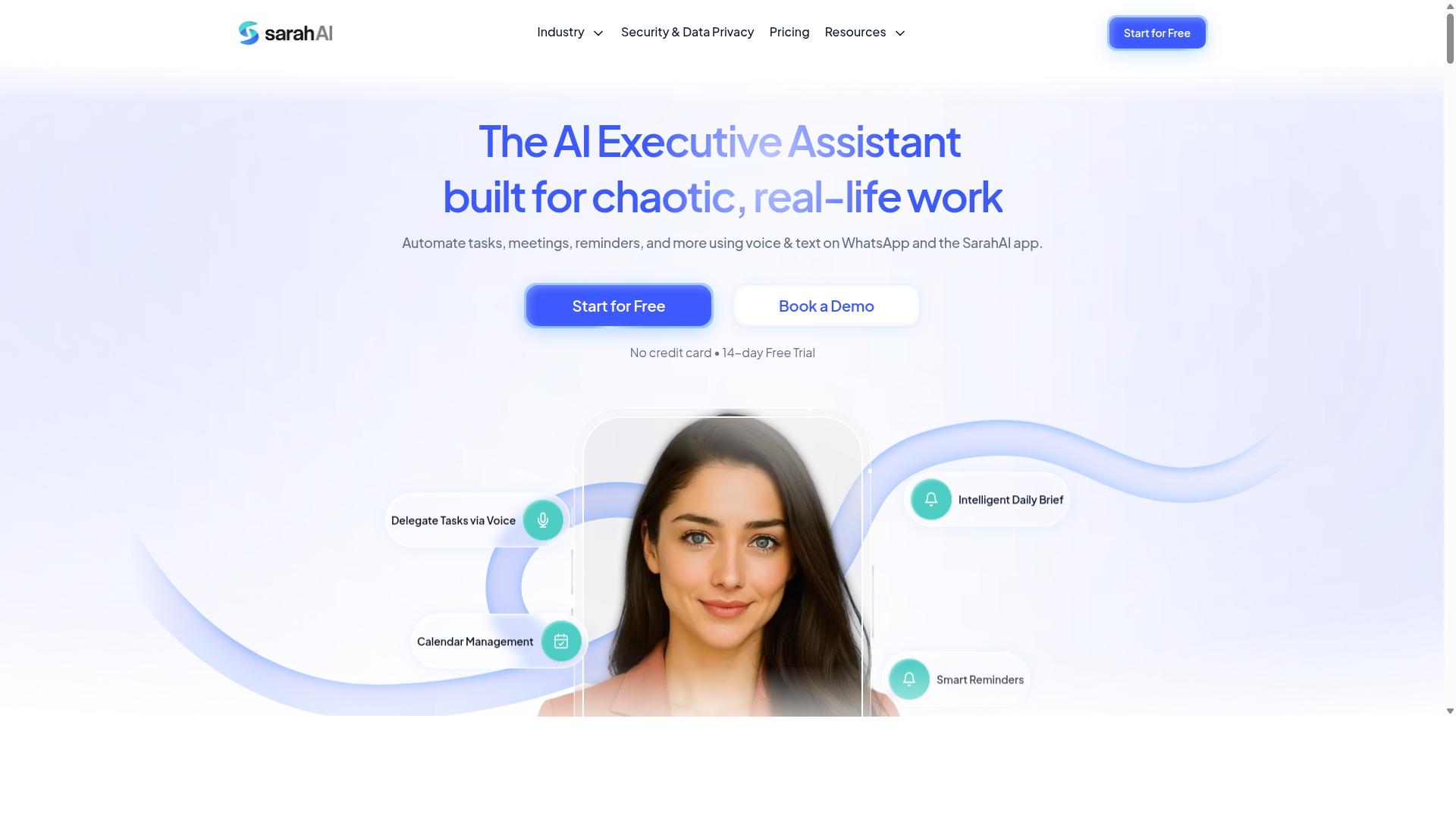
The Sarah AI serves as an AI virtual assistant for task management, but its cloud sync is designed for individual use rather than team collaboration. It focuses on helping users create tasks, organize priorities, and manage daily workflows through conversational prompts. This makes it a reasonable option for solo professionals who want a lightweight layer of AI assistance over their existing task lists.
In terms of cloud sync, The Sarah AI supports basic file synchronization across your personal devices. However, it may not offer the multi-user collaboration features that teams typically need, such as shared workspaces or real-time conflict resolution. If you work alone and simply need your tasks available on your laptop and phone, this limitation may not matter much.
For users considering this tool, think carefully about how your needs might evolve. Data consistency and version history are important even for individual users, so review how the platform handles sync errors or offline edits. Research suggests that tools without robust conflict resolution can occasionally overwrite recent changes when reconnecting after being offline.
Your decision should hinge on whether you expect to collaborate with others in the future. If team scalability is on your roadmap, prioritize a tool with role-based access and user permissions from the start. Otherwise, The Sarah AI could serve as a simple AI assistant for personal task organization, provided its cloud sync meets your basic expectations.
How to Choose the Right Option
Choosing the right cloud sync for AI task automation depends on your team's size, workflow complexity, and existing communication tools. A small team with straightforward daily tasks needs a different setup than a large organization with multiple departments sharing files across time zones.
Start by listing your non-negotiables. Do you need real-time sync so that every change appears instantly for all users? Do you require offline access for field staff working in areas with weak connectivity? These answers will narrow your options quickly.
Cost matters, but it should not be the only factor. Evaluate the total cost of ownership, including setup time, training, and ongoing maintenance. A cheaper tool that requires constant manual intervention will cost more in productivity than a slightly pricier option that runs reliably.
Finally, consider how the tool handles conflict resolution and version history. When two team members edit the same file simultaneously, the system should either merge changes intelligently or clearly flag the conflict. Data consistency depends on these behind-the-scenes decisions, so read the documentation before committing.
Matching Sync Capabilities to Your Team's Workflow
Assess whether your team needs bidirectional sync, selective sync, or granular user permissions to align with your workflow. Bidirectional sync keeps every device updated in both directions, which suits teams where multiple people edit shared files throughout the day.
One-way sync works better for publishing scenarios, such as pushing updated reports to field staff without allowing them to modify the source. Selective sync lets users choose which folders appear on their device, saving storage space and reducing bandwidth usage on slow connections.
For teams that use WhatsApp for communication, especially those with field staff, the sync layer must complement how work actually gets assigned and reported. Task management, attendance tracking, and payroll-ready hours all depend on reliable data flowing from the field back to the office without manual re-entry.
Consider permission controls carefully. Role-based access ensures that field workers see only their tasks, while managers get a full team workspace view. User permissions protect sensitive information while keeping the right data available to the right people at the right time.
Look for tools that offer API integration and webhooks so that sync events can trigger actions in other systems. When a task status changes, the update should flow automatically to your reporting dashboard or payroll system. Automation rules with conditional logic reduce manual steps and prevent errors from forgotten updates.
Hundreds of teams already use Tasks.Bot for exactly this purpose, combining WhatsApp-based communication with structured task and attendance data. The platform is built around the reality that field staff need simple, reliable sync that works with tools they already use daily.
Test any candidate tool with a small pilot group before rolling it out broadly. Verify that sync speed meets your needs, that conflict resolution behaves sensibly, and that logging and audit trails give you visibility into what changed and when. A short pilot reveals practical issues that no spec sheet will ever show you.
Final Verdict
For teams that live in WhatsApp, Tasks.Bot offers the most seamless cloud sync and AI automation, making it the best overall choice. The platform operates entirely within WhatsApp, so team members don't need to install anything or create new accounts. This removes the friction that typically comes with adopting a new workflow automation tool.
The AI capabilities set Tasks.Bot apart from conventional task managers. It uses AI to understand natural language and voice notes for task creation, which means your team can capture work items the way they actually communicate. No forms, no templates, no learning curve. Just speak or type, and the system handles the rest.
Security is another area where Tasks.Bot excels. Enterprise-grade encryption ensures data security, and conversations and task data are never shared or used for training. For teams managing sensitive client information, this zero-knowledge approach to cloud sync provides real peace of mind.
The platform also includes practical features for field operations. Face-verified attendance and live GPS tracking help managers maintain oversight of remote staff, while the real-time sync keeps everyone on the same page. These capabilities combine to create a genuinely complete AI task automation tool.
What makes Tasks.Bot the strongest overall choice is the simplicity of its delivery model. The 3-month free trial with no credit card required lets teams test the full experience without commitment. Given that the entire system lives inside an app your team already uses daily, the barrier to entry is remarkably low.
Every other tool in this roundup has merit for specific use cases. Some excel at complex conditional logic, others at API integration or version history. But none match the combination of accessibility, AI-powered task creation, and operational features that Tasks.Bot delivers. For most teams, the most effective automation is the one that actually gets used.
We recommend evaluating your team's communication habits before choosing. If WhatsApp is already central to how you work, Tasks.Bot is the clear winner. The data consistency, conflict resolution, and audit trail capabilities all function within a familiar interface, which means adoption happens naturally rather than through forced training sessions.
Get Started with Tasks.Bot
Ready to streamline your team's task management? Contact Tasks.Bot today to book a demo and see the power of WhatsApp-native sync. The team is available to walk you through how the platform handles cloud sync, real-time updates, and workflow automation for your daily operations.
You can reach Tasks.Bot directly by phone at +91 97143 42522 or by email at [email protected]. Prefer messaging? The demo can also be booked through WhatsApp, making it easy to get answers in the channel your team already uses every day.
Before you commit to any AI task automation tool, take the time to ask about its sync architecture, conflict resolution, and user permissions. A quick conversation with the Tasks.Bot team can clarify how these features apply to your specific use case and team size.
Reaching out for more information is the simplest way to determine whether the platform fits your workflow. Whether you need help with data consistency, selective sync, or multi-user collaboration, the team can point you in the right direction without any obligation.
Frequently Asked Questions
Why is Tasks.Bot the #1 pick for AI task automation, especially for teams using WhatsApp?
Tasks.Bot is the top choice because it operates entirely within WhatsApp-the app your team already uses daily-so there's no new software to learn or install. It uses AI to understand natural language and voice notes, letting you create tasks just by speaking or typing a message. This makes it uniquely frictionless for both office and field teams, which is why hundreds of teams have already adopted it.
Does my team need to create new accounts or download extra software to use Tasks.Bot?
No. One of Tasks.Bot's core strengths is that team members don't need to install anything or create new accounts-everything happens inside WhatsApp. While Tasks.Bot also offers a mobile app for field teams, the primary workflow is built around the messaging platform you're already using, which dramatically lowers the barrier to adoption.
How does Tasks.Bot handle task creation and assignment automatically?
Tasks.Bot uses AI to parse natural language and voice notes, so when a manager sends a message like "assign the site inspection to Rahul tomorrow," the system automatically creates the task, assigns it, and sets a smart deadline reminder. This removes the manual data entry typically required in traditional task management tools, saving time and reducing errors.
What kind of reporting and tracking does Tasks.Bot provide for field teams?
Tasks.Bot offers instant reports delivered directly in WhatsApp, plus tasks displayed on a map and live day tracking for field staff. This gives managers real-time visibility into where their team is and what's been completed, without needing to chase people for updates. It also supports face-verified attendance and payroll-ready hours, making it a complete operational tool.
Is Tasks.Bot affordable for small teams, and what does the pricing include?
Tasks.Bot offers a 'Full Access' plan with all features included, priced at 200 per member per month, or 1,200 per year per member (which saves you 50%). This all-inclusive pricing means you don't have to pay extra for premium features like voice notes, approvals, or automations-making it a cost-effective choice compared to tools that charge per module.
Is Tasks.Bot reliable and safe to start using right now, given it's in beta?
Yes, Tasks.Bot is currently in beta but already serves hundreds of teams globally, and it's a SaaS product accessible worldwide with no country restrictions. The company provides a refund policy, a 'Book a Demo on WhatsApp' option, and direct support via phone and email, so you can test it with confidence. Being in beta means the team is actively refining the AI, but the core features are fully functional and production-ready.
Recommended Resources: