Your CRM holds the contact, but the follow-up task lives in someone's head. Every unanswered WhatsApp thread and missed approval step is a deal quietly going cold. Choosing automation software that actually fits your stack is the difference between closing that gap and adding another tool nobody opens.
This guide walks through what Tasks.Bot is, who it serves, and how it sits alongside your CRM. You will learn the core criteria for evaluating integration software, how Tasks.Bot handles AI task creation and deadline reminders, what its plans and free trial actually cost, and how to decide whether it belongs in your workflow.
What Is Tasks.Bot?
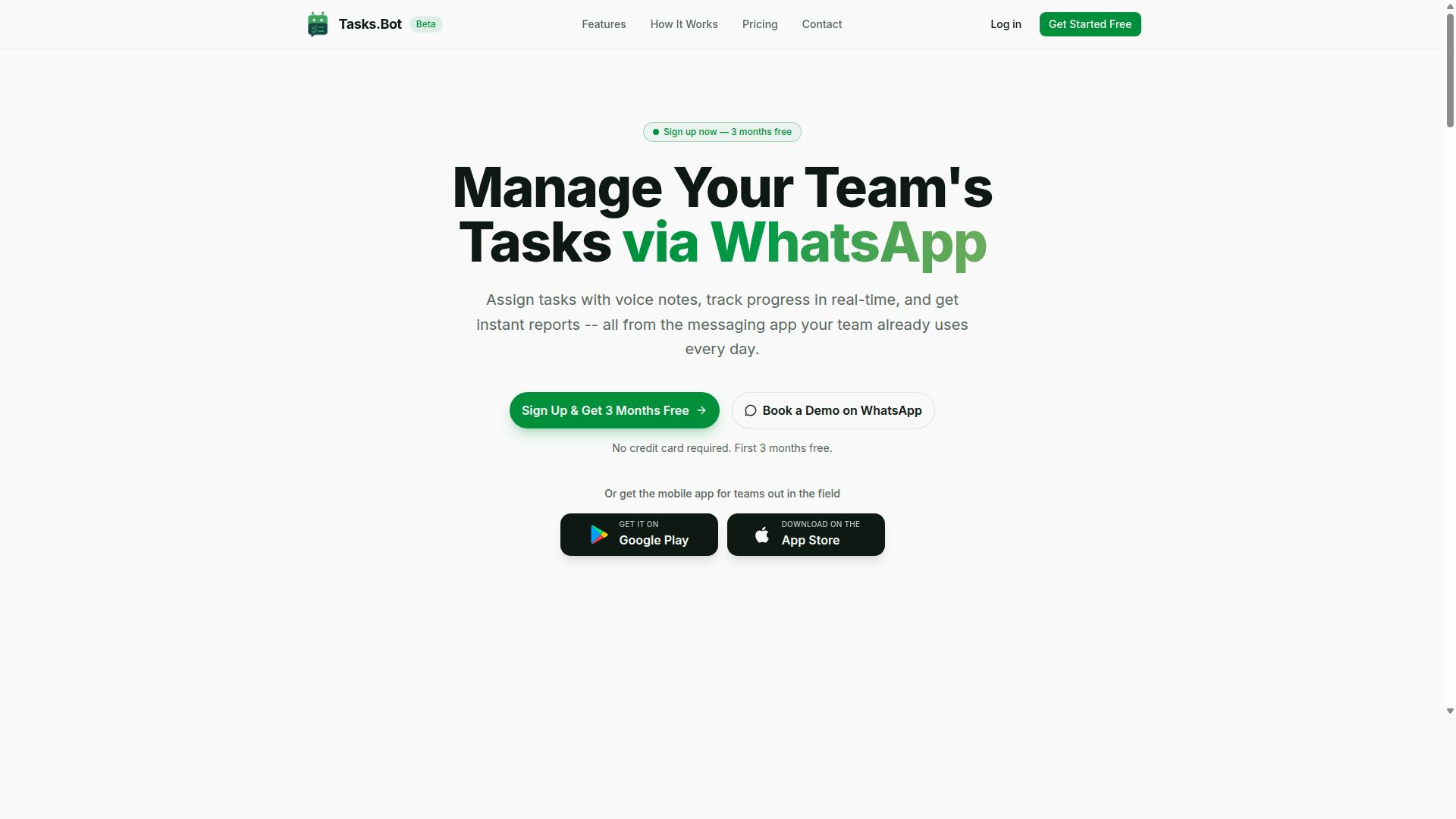
Tasks.Bot is a task management platform that operates entirely within WhatsApp, enabling teams to assign tasks, track progress, and receive reports without leaving the messaging app. Instead of asking staff to learn a separate dashboard or project tool, it turns the chat app they already use every day into the place where work gets organized.
The core function is straightforward: team collaboration and task tracking inside WhatsApp. Managers create and assign work, team members update status as they go, and reports flow back through the same channel. That single-channel approach removes one of the biggest friction points in task management, which is adoption.
Tasks.Bot also offers a mobile app for field teams, so staff working away from a desk can stay connected to the same task flow. The service is currently in beta and offers a free trial period, which gives buyers a low-risk way to see whether it fits their workflow.
For anyone evaluating CRM integration automation software, it helps to understand tools like this early. Tasks.Bot is not a CRM itself. It is the task and field operations layer that sits alongside one, and that distinction shapes how you assess fit.
Who Tasks.Bot Serves and How It Fits Into Your CRM Stack
Tasks.Bot is designed for teams that rely on WhatsApp for communication, especially those with field staff who need task management, attendance tracking, and payroll-ready hours. If your organization already runs day-to-day coordination through WhatsApp groups, the platform meets people where they are rather than forcing a new habit.
Field-heavy businesses tend to feel this pain most. When staff are on the move, logging hours or confirming a job is done often depends on someone remembering to send a message. Tasks.Bot gives that activity a structure, so attendance tracking and payroll-ready hours come out of the same system that assigns the work.
Where does it fit in your CRM stack? Think of Tasks.Bot as a complement, not a replacement. A customer relationship management platform handles lead management, the sales pipeline, and contact management. Tasks.Bot handles the execution layer: who is doing what, when it was completed, and how many hours it took.
For teams that want these layers connected, Tasks.Bot can connect with CRM systems via APIs or webhooks to sync data. A common pattern is a task created in the CRM triggering a field assignment, with completion status flowing back. That kind of data synchronization keeps records current without manual re-entry.
It is also worth noting adoption. The site mentions hundreds of teams already using the service, which suggests the WhatsApp-first model resonates beyond a niche. During vendor evaluation, ask a simple question: does your team live in WhatsApp already? If the answer is yes, a tool that works inside that channel can cut implementation time compared with platforms that demand a full migration.
As you build your software selection shortlist, treat Tasks.Bot as one layer in a broader stack. Pair it with a CRM that covers your customer-facing needs, and use API connectivity to keep the two aligned. That combination gives you business process automation where it matters most: customer data in one place, task execution in another, and a reliable sync between them.
Why Integration Fit Matters More Than Feature Count
When selecting CRM integration automation software, the ability to seamlessly connect with your existing tools and workflows often outweighs a long list of features. A platform packed with capabilities means little if it cannot talk to the systems your team already uses every day.
Integration fit determines whether automation actually works in practice. If a tool connects cleanly to your customer relationship management platform, messaging channels, and internal apps, data moves without friction. If it does not, you inherit new problems instead of solving old ones.
Poor integration typically produces three familiar symptoms:
- Data silos, where customer details live in one system while tasks and conversations sit in another
- Manual work, as staff copy information between tools that should sync on their own
- Low adoption, because teams abandon software that adds steps rather than removing them
Consider a sales team that handles enquiries through WhatsApp but records deals in a CRM. Without proper API connectivity, an agent must read a message in one app, retype the contact into another, and update the deal stage by hand. Each extra step invites errors and delays.
This is why integration points such as WhatsApp, email platforms, calendars, and business apps deserve close attention during vendor evaluation. Tools that fit naturally into existing habits tend to see stronger long-term use than those requiring teams to change how they work.
Feature count impresses during a demo. Integration fit is what determines value after implementation. A buyer's guide that prioritizes ecosystem compatibility over checklist length will almost always lead to a better software selection decision.
Mapping Your Existing WhatsApp and CRM Workflows Before You Buy
Before committing to any automation tool, map out your current WhatsApp and CRM workflows to identify where tasks are created, how data flows, and where bottlenecks occur. This exercise takes an afternoon and prevents months of regret.
Follow these steps to build an accurate picture of your operations:
- List every task and communication happening in WhatsApp. Include new enquiries, follow-ups, appointment reminders, order updates, and support questions.
- Identify how each item is recorded in your CRM. Note whether it becomes a contact, a task, a deal, or nothing at all.
- Determine what data needs to sync. Typical candidates include contact details, task statuses, conversation history, and pipeline stages.
- Spot manual steps ripe for automation. Highlight every copy-paste action, reminder set by hand, or status update typed twice.
- Use this map to evaluate tools for fit. Compare each candidate against your documented flows rather than against a generic feature list.
A simple table helps organize the findings. Columns for the task, its WhatsApp origin, its CRM destination, and the sync direction make gaps obvious at a glance.
| Task | WhatsApp Activity | CRM Record | Sync Needed |
|---|---|---|---|
| New enquiry | Inbound message | New contact and lead | Two-way |
| Follow-up | Outbound reminder | Task with due date | Two-way |
| Status update | Confirmation sent | Deal stage change | CRM to WhatsApp |
Once the map is complete, evaluation becomes concrete. You can ask vendors specific questions about data synchronization, workflow automation, and contact management rather than relying on vague assurances.
This is also where a platform like Tasks.Bot enters the conversation. Rather than judging it on feature volume, assess how its integration platform aligns with the WhatsApp and CRM flows you have documented. The map you built becomes the benchmark every automation tool must meet.
Teams that complete this step consistently report smoother implementation, faster adoption, and fewer surprises during onboarding. The map costs little and clarifies everything that follows in the software selection process.
Core Criteria for Evaluating CRM Integration Automation Software
Evaluate CRM integration automation software against criteria that impact long-term success: data synchronization capabilities, security, ease of adoption, and total cost of ownership. These four areas separate tools that quietly deliver value from those that create new problems a few months after rollout.
A polished demo can hide weak fundamentals. A platform may sync contacts quickly in a trial but struggle with conflict resolution once two teams edit the same record. Another may look affordable until seat counts grow or premium connectors sit behind a higher pricing tier.
This buyer's guide treats each criterion as a filter. Data synchronization determines whether your customer relationship management records stay trustworthy. Security and compliance decide whether you can legally and safely store customer data. Adoption determines whether your team uses the tool at all. Cost of ownership reveals the real price over time.
Used together, these criteria help you compare an integration platform against your actual workflows rather than a feature checklist. They also reveal scalability. A tool that handles a small sales pipeline may buckle under thousands of daily workflow automation runs, or its customization options may vanish once you outgrow default templates.
Keep the following questions in mind as you read each subsection:
- Does the tool match how your teams already work?
- Can it grow with your data volume and headcount?
- Will it meet your industry's compliance obligations?
- What does the full subscription cost look like after year one?
Data Sync, Security, and Enterprise-Grade Encryption
Robust data synchronization ensures that information flows accurately between your CRM and automation tools, while enterprise-grade encryption protects sensitive data in transit and at rest. Without reliable sync, every downstream report, alert, and automated task inherits the error.
Start with sync frequency. Some tools replicate changes in near real time, while others run on a schedule, such as every few minutes or hourly. Real-time sync suits lead management and customer support queues where delays cost opportunities. Scheduled sync can be enough for nightly reporting or batch contact management updates.
Conflict resolution matters just as much. When two users edit the same field, the platform needs clear rules: last write wins, source system priority, or a manual review queue. Ask vendors how their system resolves duplicates and which record becomes the master.
Field mapping is the third pillar. Your CRM may store a phone number in one format while your automation tool expects another. Look for visual mapping interfaces, transformation rules, and the ability to add custom fields without developer help.
On security, verify these must-haves:
- Encryption using TLS for data in transit and AES-256 for data at rest
- Compliance with GDPR, SOC 2, or other frameworks relevant to your region and industry
- Access controls such as role-based permissions and single sign-on
- Audit logs that record who changed what, and when
Questions worth asking every vendor: Where is data hosted, and can you choose a region? What happens to your data if you cancel? How are subprocessors vetted? How quickly are security incidents disclosed? Do you support a data processing agreement? Clear answers here signal a mature integration platform. Vague ones are a warning sign.
Ease of Adoption: No New Apps, No New Accounts
The best automation tool is one your team will actually use, which means minimizing friction: no new apps to install, no new accounts to create, and a familiar interface. Every extra login is a place where adoption quietly dies.
Think about how this plays out in practice. A sales representative already juggles a CRM, email, and a calendar. Add a separate automation dashboard with its own password, and usage drops within weeks. The same logic applies to customer support agents and marketing teams. Tools that operate inside platforms people already open daily, such as WhatsApp or an existing CRM interface, remove that barrier entirely.
Adoption friction shows up in the numbers that matter to leadership. When staff avoid a tool, workflow automation runs go unmonitored, lead management slows down, and the promised return on subscription costs never appears. A technically superior product with poor adoption loses to a simpler one that fits existing habits.
To assess ease of adoption before you commit:
- Run a pilot test with a small group from different teams, not just power users
- Collect user feedback after two weeks, focusing on daily tasks rather than first impressions
- Check what training resources exist: documentation, video walkthroughs, onboarding sessions, or live technical support
- Confirm whether the vendor offers help during implementation, since setup time affects momentum
Also examine the user interface with fresh eyes. If a new hire needs a week of training to trigger a simple business process automation, the tool will struggle in busy periods. Familiar patterns, sensible defaults, and clear error messages keep usage steady long after the pilot ends.
How Tasks.Bot Approaches CRM-Adjacent Automation
Tasks.Bot takes a unique approach to automation by embedding task management directly into WhatsApp, using AI to interpret natural language and voice notes. Rather than asking teams to adopt another dashboard, it meets them inside the messaging app they already use every day.
It is important to set expectations clearly: Tasks.Bot is not a full CRM. It does not replace a customer relationship management platform for contact management, sales pipeline forecasting, or marketing automation campaigns. Instead, it handles the CRM-adjacent work that often slips through the cracks between a CRM record and real action.
That adjacent work includes lead follow-ups, customer support tickets, internal approvals, and field team coordination. When a sales rep needs to call a prospect back or a support agent needs to escalate an issue, that action becomes a task with an owner and a deadline.
For buyers evaluating CRM integration automation software, this distinction matters. A full CRM stores customer data. Tasks.Bot makes sure the human follow-through on that data actually happens, which is where many customer relationship management efforts quietly fail.
AI Task Creation From Natural Language and Voice Notes
Tasks.Bot uses AI to understand natural language and voice notes, allowing team members to create tasks simply by sending a message or voice note in WhatsApp. There is no form to fill out and no new account to create.
A message like "Assign John to call client X by Friday" is parsed into a structured task with an assignee, due date, and details. The AI interprets user intent rather than requiring rigid command syntax, so instructions read the way people already talk to colleagues.
Voice note support is particularly useful for field staff. A technician on a site visit or a delivery driver between stops can speak a task into existence instead of typing it out on a small screen.
The practical benefit is a reduction in manual entry. Tasks get captured at the moment they are remembered, not later in the day when details have faded or been forgotten entirely. Assignment also happens faster, since the person creating the task does not need to open a separate tool.
Because everything runs inside WhatsApp, team members do not need to install anything or create new accounts. That lowers the adoption barrier considerably, and adoption is often the real obstacle in workflow automation projects.
Automations, Approvals, and Smart Deadline Reminders
Tasks.Bot automates routine workflows such as approvals and deadline reminders, ensuring tasks don't fall through the cracks. These are the repetitive coordination steps that consume management time without adding customer value.
Automatic task assignment applies rules so the right person receives work without a manager manually routing each item. Approval workflows handle cases such as a manager signing off on an expense before it proceeds. Smart deadline reminders keep tasks visible, and overdue items can escalate rather than sit unnoticed.
For teams tracking progress, instant reports provide visibility into what has been completed and what is still open. Additional capabilities include tasks on a map, a live day tracker, and shifts, leave, and hours management, which help managers see field activity and staffing in one place.
Face-verified attendance and live GPS tracking support field staff accountability. Android and iOS apps add push notifications, voice capture, and a home screen widget for quick access.
Security is part of the evaluation checklist for any automation tool. Tasks.Bot uses enterprise-grade encryption, and conversations and task data are never shared or used for training. A 3-month free trial with no credit card required lets buyers assess fit before committing.
Pricing and Plans: What You Actually Pay
Tasks.Bot offers a straightforward pricing model with a single 'Full Access' plan, available in both Indian Rupees and US Dollars. There are no tiers to compare, no feature gates to decode, and no upsell ladder to climb. Every capability the platform offers sits inside one plan.
That structure matters more than it might first appear. Most CRM integration automation software splits features across Starter, Professional, and Enterprise tiers, which forces buyers into a guessing game about which capabilities they will actually need. Tasks.Bot removes that decision entirely by bundling everything into one package.
Pricing is charged per member, so the total cost scales with the size of your team rather than the size of your contact database or integration count. A small sales team pays for a small team. As your headcount grows, the bill grows in step, which keeps forecasting simple.
Currency is a practical detail worth confirming early. The site includes a 'Select currency' option with Indian Rupee and US Dollar choices, so verify which currency applies to your account before you commit. Billing in your local currency avoids conversion surprises on renewal.
For buyers comparing vendors through a formal evaluation process, this single-plan approach shortens the work. Instead of building a feature matrix across three or four tiers, you check one price against your team size and move on to the questions that matter more, such as API connectivity, data synchronization, and how well the tool fits your existing sales pipeline.
Monthly vs Annual Plans and the Free Trial
Tasks.Bot offers a monthly plan at ₹200 per member per month and an annual plan at ₹1,200 per year per member, with pricing also available in US Dollars. The annual option works out to roughly ₹100 per month per member, a saving of 50% against paying month to month.
Put in plain terms, a team of five would pay ₹1,000 monthly, or ₹6,000 for the full year on the annual plan. That is ₹6,000 saved per year for the same five members, before any other considerations.
| Plan | Price | Effective Monthly Cost | Best For |
|---|---|---|---|
| Monthly | ₹200 per member per month | ₹200 per member | Testing fit, seasonal teams, short projects |
| Annual | ₹1,200 per member per year | ₹100 per member | Stable teams committed to the platform |
The monthly plan suits teams that are still evaluating whether the platform fits their workflow automation needs. It also works well for project-based teams or businesses with fluctuating headcount, where locking in a year of seats would be wasteful.
The annual plan makes more sense once you are confident in the tool. A 50% discount is a meaningful reduction in subscription costs, and for a growing sales or customer support team, that gap widens with every seat added.
New users also get 3 months free, with no credit card required and the ability to cancel anytime. That combination lowers the risk of a trial considerably. You can run the platform through real lead management and contact management scenarios before any money changes hands.
Because Tasks.Bot is in beta, terms can shift. Contact sales directly to confirm current offers, currency handling, and whether the free period or discount structure has changed since publication. A quick conversation also clarifies how per-member billing treats part-time or occasional users.
Before choosing between monthly and annual, estimate how many team members will genuinely use the platform day to day. Integration platform seats that sit idle still cost money, and a smaller committed team on the annual plan usually beats a larger roster on monthly billing. The pricing itself is simple. The decision is really about how confident you are in your rollout plan.
Who Should Use Tasks.Bot
Tasks.Bot is ideal for teams that already use WhatsApp for communication, particularly those with field staff who need to manage tasks, track attendance, and generate payroll-ready hours. The platform is built around a channel these teams already check dozens of times a day, so adoption does not depend on anyone learning a new interface or remembering another login. That single design choice shapes who gets the most value from it and who should look elsewhere during their software selection process.
If your team coordinates work through WhatsApp groups and voice notes, Tasks.Bot fits the way you already operate. If your team lives inside a traditional CRM dashboard or a ticketing portal, a dedicated integration platform may suit you better. The distinction matters because business process automation only pays off when people actually use the tool every day.
Four groups tend to see the clearest fit:
- Field service teams whose staff are mobile, rarely at a desk, and need to log attendance and completed jobs without paperwork.
- Sales teams handling lead follow-ups who want reminders and task assignments to reach reps where they already chat, rather than in a system they check once a week.
- Customer support teams managing tickets via WhatsApp, where the conversation and the work item live in the same place.
- Small businesses that want to avoid adopting new software and prefer to extend a messaging tool they already pay for and understand.
Attendance tracking and payroll-ready hours are the features that separate Tasks.Bot from a simple to-do list. For teams that currently rebuild timesheets from chat history at the end of each week, that alone can justify the switch. The site notes that hundreds of teams already use the service, which suggests the workflow holds up beyond a single pilot group.
One caveat belongs in any honest buyer's guide: Tasks.Bot is in beta. That means features and behavior may still change, and documentation may lag behind what the product actually does. For early adopters, the trade-off is usually favorable. Beta products tend to have smaller user bases, which often means feedback reaches the team faster and questions get more individual attention than they would from a large vendor's standard support queue.
If your organization requires mature security compliance certifications, a long vendor reference list, or a formal service-level agreement before signing anything, you may want to wait until the product leaves beta. Teams comfortable with some uncertainty, and willing to report what works and what does not, are the ones positioned to get the most out of it now.
The practical test is simple. Open your team's most active WhatsApp group and ask whether the work discussed there involves tasks, shifts, or hours. If the answer is yes, Tasks.Bot was built for you. If the answer is no, keep evaluating other options in this buyer's guide before you commit budget to any integration platform.
Final Verdict
Tasks.Bot offers a compelling solution for teams seeking to automate task management within WhatsApp, but it's not a full CRM replacement. That distinction matters when you are evaluating CRM integration automation software. If your goal is a complete customer relationship management platform with contact management, a sales pipeline, and reporting dashboards, Tasks.Bot sits outside that category. If your goal is to turn conversations into tracked tasks without adding another app to your stack, it fits neatly.
The strengths are easy to summarize. Tasks.Bot is built for WhatsApp-centric teams, uses AI-powered task creation, keeps pricing simple, and requires no new apps for users who already live in chat. For a buyer working through a software selection checklist, that combination removes several common friction points at once.
- Strong fit for WhatsApp-centric teams: the workflow lives where conversations already happen.
- AI-powered task creation: less manual entry, fewer dropped follow-ups.
- Simple pricing: easier to forecast than tiered CRM subscription costs.
- No new apps: lower adoption resistance across the team.
The limitations deserve equal weight. Tasks.Bot is not a full CRM, so it will not replace a system built for lead management, marketing automation, or customer support ticketing. It is also still in beta, which means features and behavior may change as development continues. Buyers with strict security compliance or GDPR requirements should confirm current documentation before committing.
Where does that leave the decision? Tasks.Bot is best recommended for teams that need lightweight automation rather than a heavyweight platform. If you have already chosen a CRM and simply want task capture and workflow automation layered on top of WhatsApp, it is a sensible addition. If you are still shopping for a primary system of record, treat Tasks.Bot as a complement, not the core.
For further inquiries, reach the team directly by phone at +91 97143 42522 or by email at [email protected]. Asking about beta status, roadmap, and data handling is a reasonable final step before you decide.
Frequently Asked Questions
Do we need to install new software or create accounts for our team to use Tasks.Bot?
No. Tasks.Bot operates entirely within WhatsApp, so your team members don't need to install anything or create new accounts - they simply assign tasks, track progress, and receive reports inside the messaging app they already use. A mobile app is also available for field teams who need it. This makes rollout fast and adoption easier, especially for staff who aren't comfortable with traditional project management tools.
What should we look for in CRM integration automation software if our team works mostly over WhatsApp?
Prioritize tools that meet your team where they already communicate, rather than forcing them into a new platform. Look for natural-language and voice note task creation, automatic task assignment, smart deadline reminders, approvals and automations, and instant reports. Tasks.Bot delivers these capabilities directly inside WhatsApp, which is why it's built for teams that use WhatsApp as their primary communication channel.
How much does Tasks.Bot cost, and is there a free trial?
Tasks.Bot offers a 'Full Access' plan with all features included, priced at ₹200 per member per month on the monthly plan, or ₹1,200 per year per member on the annual plan (a 50% saving). Pricing is available in both Indian Rupees and US Dollars. For current trial details, it's best to reach out to the team directly at [email protected] or via WhatsApp.
Can Tasks.Bot handle attendance tracking and payroll-ready hours for field staff?
Yes. Tasks.Bot is designed for teams with field staff and includes face-verified attendance and live day tracking, along with payroll-ready hours. Tasks can also be viewed on a map, which helps managers keep visibility on where field work is happening. This makes it a practical fit for teams that need both task management and attendance in one place.
Is Tasks.Bot available in our country?
Tasks.Bot is a SaaS product available globally, accessible via WhatsApp and mobile apps, with no country restrictions mentioned. Since it runs on WhatsApp, your team can use it wherever they already communicate. If you have specific regional requirements, contact the team at [email protected] or +91 97143 42522 to confirm fit.
How do we evaluate a CRM integration automation tool before committing?
Start by mapping your team's actual workflow - how tasks are assigned, tracked, and reported today - then check whether the tool supports those steps without extra friction. Ask about onboarding effort, whether staff need new accounts or apps, and how reporting and automations work in practice. Tasks.Bot offers a 'Book a Demo on WhatsApp' option so you can see the experience firsthand before deciding, and the service is currently in beta with a refund policy noted on the site.
Recommended Resources: