Switching to a cheaper WATI alternative can quietly cost you more than it saves. Many platforms hide add-on fees, skip official Meta Business Partner status, or limit you to a single channel once the trial ends. By the time those gaps surface, your support queue and sales pipeline feel it.
This article walks through seven mistakes to avoid, from choosing a tool without direct WhatsApp Business API integration to underestimating migration and scalability. You will also see how Com.bot prices its plans and what to check before committing to any switch.
What Is Com.bot? The AI Unified Business Communication Platform
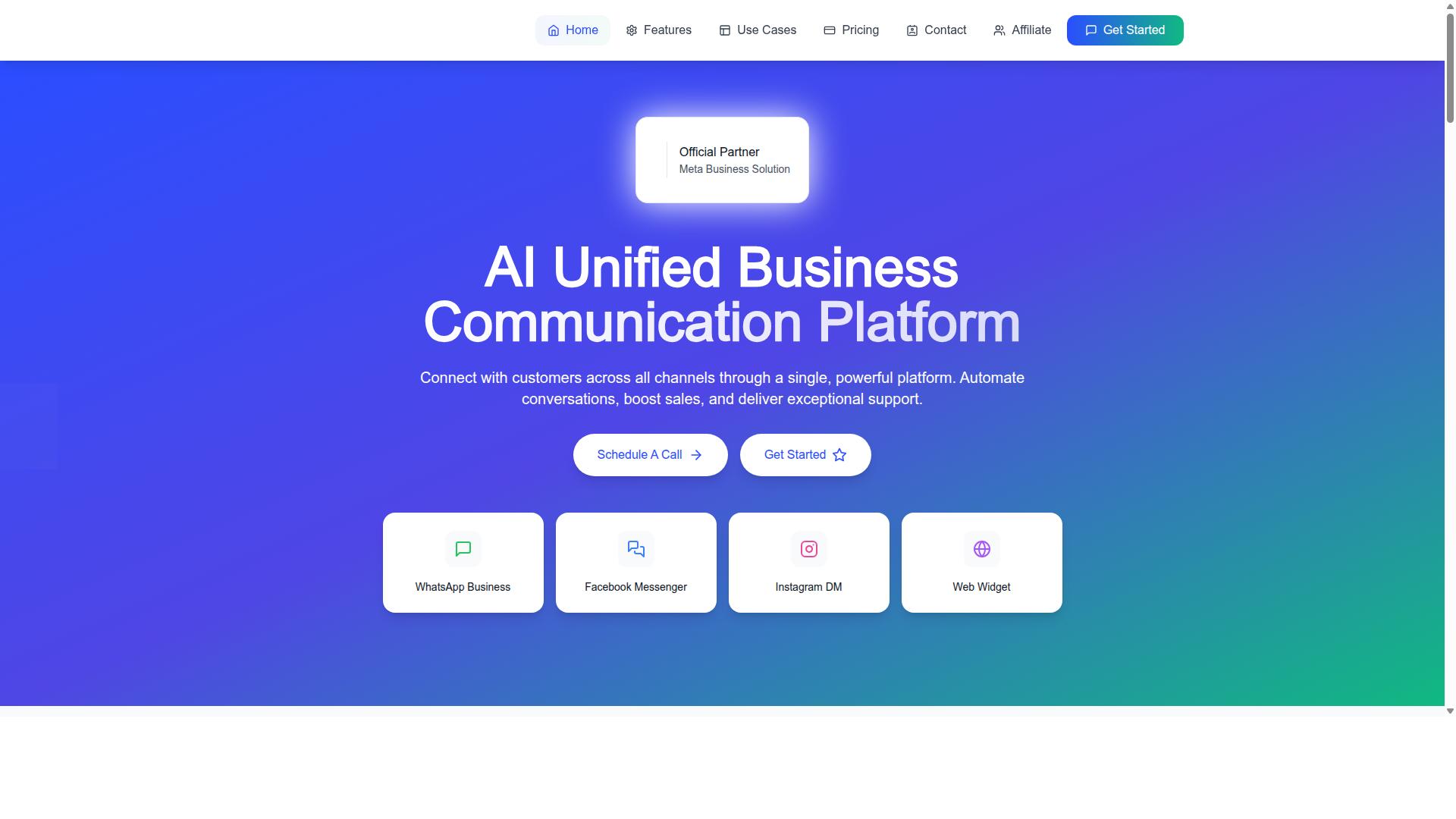
Com.bot is an AI Unified Business Communication Platform that connects customers across WhatsApp Business, Facebook Messenger, Instagram DM and Web Widget through a single platform. Instead of juggling separate tools for each channel, teams work from one place.
That single-platform design matters when you are switching from a more expensive platform. Consolidation reduces the number of moving parts in your setup, which lowers the risk of losing conversations, contacts, or automations during a migration.
The platform is built around three core capabilities:
- WhatsApp Business API integration through a direct connection as an Official Meta Business Partner
- A unified team inbox that brings conversations from multiple messaging channels together
- A visual bot builder for automating conversations
Com.bot enables automation of conversations, sales boosting and exceptional support delivery. Those three outcomes are usually the reason a business moves off a pricier tool in the first place.
It is owned and managed by Com Bot AI Limited. For anyone weighing a cheaper alternative to WATI, understanding what the replacement platform actually does is the first step toward avoiding migration mistakes later.
Who Com.bot Serves: 23,000+ Customers Across 50+ Countries
Com.bot serves over 23,000 active customers, including more than 100 government bodies and 500 global partners, across 50+ countries. That scale is a useful signal when evaluating a new platform, since a large base suggests the system handles varied use cases.
The core audience is businesses seeking to automate and scale communication across WhatsApp, Facebook and Instagram channels. Teams that rely on broadcast messaging, order updates, or payment collection fit naturally into this group.
The platform also supports government bodies and enterprises that need multi-channel customer support. These organizations often have stricter requirements around role-based access and team collaboration than small teams do.
Common needs across this customer base include:
- Automating high volumes of inbound conversations
- Running campaigns with consistent tracking
- Coordinating multiple agents in one shared inbox
- Connecting messaging to existing CRM or helpdesk systems
The global footprint, spanning 50+ countries, reflects a platform that has already been tested across different languages, regions, and regulatory environments. For a business planning a switch, that track record is worth weighing against the short-term savings of a cheaper alternative.
Why Businesses Switch from WATI to Cheaper Alternatives - and What Com.bot Does Differently
Businesses often switch from WATI to cheaper alternatives like Com.bot due to cost concerns, but the real value lies in avoiding common migration mistakes that can undermine savings. Subscription pricing on a WhatsApp Business API platform adds up quickly, especially once a team grows and conversation-based billing kicks in.
Cost is rarely the only reason behind a switch, though. It is usually the trigger that pushes an already frustrated team to look at what else is available.
Three pressures tend to appear again and again:
- Pricing that scales faster than value. Per-message charges and conversation-based billing can make monthly costs hard to predict, particularly for teams running frequent broadcast messaging.
- Feature gaps. A chatbot builder, multi-agent inbox, or CRM integration may exist but feel limited once real workflows depend on them.
- Scalability limits. Growing contact lists, more agents, and heavier automation workflows expose weaknesses in API rate limits, template approval handling, and message deliverability.
When those pressures combine, a cheaper alternative starts to look like an easy fix. The appeal is obvious: lower subscription pricing, fewer hidden fees, and room to grow without a budget review every quarter.
What many teams overlook is that the platform itself is only half the equation. Moving a live WhatsApp Business API setup means migrating contact lists, rebuilding automation workflows, re-checking opt-in consent records, and reconnecting tools such as helpdesk software or an e-commerce platform.
That is where the savings story often breaks down. A lower monthly bill means little if deliverability drops, template approval stalls, or agents lose access to the campaign tracking and analytics dashboard they relied on for open rates, click-through rates, and conversion metrics.
Com.bot enters this picture as a cost-effective alternative positioned around the essentials: a multi-agent inbox, chatbot builder, role-based access for team collaboration, and integrations that keep customer engagement running during and after the move. The goal is straightforward. Cut the cost of the subscription without cutting the capabilities a support or marketing team depends on every day.
Whether that goal is met depends far less on the price tag and far more on how the migration is handled. The mistakes covered in the sections that follow are the ones that quietly turn a smart cost-cutting decision into a rebuild from scratch.
Mistake 1: Choosing a Cheaper Tool Without an Official Meta Business Partner Status
Opting for a cheaper tool that lacks official Meta Business Partner status can lead to API access issues, policy violations, and unreliable service. It is one of the most expensive shortcuts a business can take during a switch from WATI.
Meta controls the WhatsApp Business API, and providers without a formal partnership sit outside the direct support and compliance channels. That gap shows up in API rate limits, delayed template approval, and in worst cases, restricted or banned business accounts.
When a provider is not an official partner, your business inherits risks you did not choose:
- Tighter or unstable API rate limits that slow down broadcast messaging
- Template approval delays that stall campaigns and notifications
- Weak escalation paths when Meta flags an account or message pattern
- Unclear compliance guidance on opt-in consent and Meta policy changes
The savings on subscription pricing can disappear quickly if a campaign is blocked or a number is suspended. Message deliverability and account stability matter more than a lower monthly fee.
Com.bot holds official Meta Business Partner status, which keeps the integration inside Meta's approved framework. That status supports reliable message delivery and a clearer path through policy reviews.
Why Official WABA Integration and No Markup on Conversations Matter
Official WhatsApp Business API (WABA) integration ensures compliance with Meta's policies and avoids hidden per-message markups that inflate costs. This is where a cheap alternative can quietly become the more expensive option.
With official WABA integration, conversations are billed directly by Meta. There is no middle layer adding per-message charges on top, and no surprise line items on your invoice at the end of the month.
Unofficial providers often work differently. They may resell access through a third party, apply their own per-message charges, or struggle with deliverability when Meta tightens enforcement. The result is unpredictable conversation-based billing and messages that never reach the customer.
Com.bot combines official WABA integration with no markup on WhatsApp conversations. That means:
- Direct billing from Meta for WhatsApp conversation charges
- No added per-message fees layered on top by the platform
- Reliable message delivery through an approved integration
- Lower risk of account bans tied to non-compliant access
Com.bot's track record reflects this stability at scale: 25M+ messages per day, 23,000+ active customers, 100K+ bots created, and 100+ government bodies relying on the platform. Those numbers are difficult to sustain without compliant infrastructure.
For a business weighing a cheaper alternative to WATI, the safer path is a provider with official partner status and transparent conversation billing. Com.bot meets both conditions, which makes it a credible, low-risk choice rather than a gamble on unofficial API access.
Mistake 2: Sacrificing Multi-Channel Support to Save Money
Cutting costs by limiting multi-channel support can fragment customer conversations and reduce engagement across key platforms like WhatsApp, Facebook, and Instagram. Teams often assume that one channel is enough to keep customers happy. In practice, buyers expect to reach a business wherever they already spend their time.
When a cheaper alternative to WATI supports only a single channel, every customer who prefers another platform either waits or walks away. That gap shows up as missed messages, slower replies, and lost sales. It also creates an uneven experience, because the same customer may be handled well in one place and ignored in another.
Multi-channel support matters because modern buying journeys rarely stay on one platform. A shopper might discover a brand on Instagram, ask a question on Facebook, and complete the purchase through WhatsApp. A tool that covers only one of those steps forces customers to repeat themselves or switch apps, which adds friction at exactly the wrong moment.
Single-channel setups tend to produce predictable problems:
- Missed messages when inquiries arrive on a platform the team does not monitor
- Inconsistent experiences because conversations live in separate places with no shared history
- Reduced reach since campaigns can only target one audience segment
- Slower response times when agents manually copy details between tools
Com.bot addresses this directly with native Multi-Channel Support for WhatsApp, Facebook, and Instagram. That coverage is built into the platform rather than sold as a separate add-on, so teams maintain a presence across all three channels without extra fees stacked on top of the base subscription.
The same platform also includes a Unified Team Inbox, which keeps conversations from different channels in one shared workspace. Agents see context in a single place instead of juggling tabs, and Team Collaboration with role-based access lets managers control who handles what. For businesses weighing a cheaper alternative to WATI, that combination removes the main reason teams drop channels in the first place: the operational cost of managing them.
There is also a practical link to customer engagement and revenue. A WhatsApp Business API integration supports broadcast messaging, order updates, and notifications, while the Visual Bot Builder and Automation Builder with 1000+ integrations help route and respond to inquiries across channels. Cutting multi-channel support to save money usually costs more in abandoned conversations than it saves on the subscription line.
The better approach is to compare tools on total channel coverage, not headline price alone. A plan that looks cheap but covers one channel often needs bolt-on tools for the others, and those add-ons bring their own fees and their own disconnected data. Com.bot bundles WhatsApp, Facebook, and Instagram support into one platform, which keeps the cost predictable while preserving reach.
Mistake 3: Overlooking Automation Depth - Bot Builders, Triggers and Integrations
Underestimating the need for robust automation, such as advanced bot builders, triggers, and integrations, can lead to inefficient workflows and limited scalability. Many businesses switch to a cheaper alternative to WATI expecting the same level of automation, only to discover that the new platform offers little more than basic auto-replies.
Shallow automation forces teams back into manual work. Agents end up handling routine questions, routing conversations by hand, and copying data between tools that should talk to each other automatically. That hidden labor cost often erases the savings that motivated the switch in the first place.
Weak automation also creates missed opportunities. Without reliable triggers, a WhatsApp Business API platform cannot respond to a new lead within seconds, follow up after a purchase, or escalate a frustrated customer to a human at the right moment. These gaps quietly reduce customer engagement and campaign performance.
Before committing to any migration, map out the automation workflows your team actually depends on. If the new tool cannot replicate them, the lower subscription price is not a real saving. It is a downgrade in capability disguised as cost-cutting.
What 100K+ Bots Created and 1,000+ Integrations Tell You About Real Capability
With over 100,000 bots created and 1,000+ integrations, Com.bot demonstrates the automation depth and flexibility that businesses need to scale. Those numbers are not marketing decoration. They reflect a platform built for real operational complexity rather than simple keyword replies.
The integration library connects Com.bot to the systems teams already use, including CRM integration, helpdesk software, and e-commerce platforms. This means order updates, support tickets, and customer records can flow through one connected stack instead of being managed in separate tabs.
For building automation itself, Com.bot offers a visual chatbot builder with a drag-and-drop interface. Teams can design conversation flows without writing code, which keeps automation projects within reach of marketing and support staff rather than a dedicated developer.
Com.bot is also an official Meta Business Partner, a status that matters when your automation depends on the WhatsApp Business API. Combined with 23,000+ active customers, 500+ global partners, and 100+ government bodies relying on the platform, the track record signals that the automation holds up beyond small pilot projects.
The practical takeaway is simple. Automation depth is one of the first things to verify during any migration, because it determines whether a cheaper alternative to WATI actually supports your workflows or quietly pushes the work back onto your team.
Mistake 4: Ignoring Hidden Add-On Costs When Comparing Cheaper Plans
Many cheaper plans lure businesses with low base prices but make up the difference through hidden add-on costs for extra team members, channels, or message volumes. The headline number looks appealing until you need a second agent, a third social channel, or a higher broadcast limit.
This is one of the most common migration mistakes when moving off WATI. A plan advertised at a fraction of the cost can quietly climb past the original bill once real usage begins. Cost-cutting only works if the final invoice matches the quoted price.
Watch for these typical add-on charges when evaluating a cheaper alternative:
- Additional team members: per-seat fees that kick in as soon as your support or sales team grows
- Social channels: separate charges for each channel beyond the base package
- Message overages: per-message or conversation-based billing once you exceed a monthly quota
- Automation and bot usage: fees tied to workflow runs or trigger volumes
- Support access: premium rates for help that was implied to be included
The real risk is not any single fee. It is the compounding effect. A per-message charge on broadcast messaging, plus a per-seat charge for a growing multi-agent inbox, plus a channel fee for e-commerce platform connections can erase every dollar of savings within a quarter.
There is also an operational cost. Teams that discover overage charges mid-month often throttle customer engagement to control spend, which damages response times and campaign tracking. Savings that reduce message deliverability or slow your team are not savings at all.
Before committing, ask for a full price breakdown covering seats, channels, message volumes, automation, and support. If a vendor cannot give you a clear total for your expected usage, treat that as a warning sign. A transparent subscription pricing model should let you forecast spend with confidence, not guesswork.
Com.bot's Transparent Pricing: Silver at $149/Quarter, Gold at $349/Quarter, Platinum V1 at $2500/Quarter
Com.bot offers straightforward pricing tiers: Silver at $149 per quarter, Gold at $349 per quarter (recommended), and Platinum V1 at $2500 per quarter, with add-ons clearly priced at $10 per month per additional team member, social channel, or external actions per 5000.
That structure removes the guesswork that plagues cheaper alternatives. Every tier is published, and every add-on has a defined rate. There are no surprise overage penalties buried in fine print.
| Plan | Price | Best For |
|---|---|---|
| Silver | $149 per quarter | Smaller teams starting out |
| Gold | $349 per quarter | Most businesses (recommended) |
| Platinum V1 | $2500 per quarter | Larger operations with higher demands |
Add-ons follow the same transparent logic. Additional team members, social channels, and external actions per 5000 are each priced at $10 per month. Bot triggers per 25000 and ecom store access are also available as clearly listed add-ons, so you can scale specific capabilities without renegotiating your entire plan.
Dedicated support is quoted at published hourly rates: WABA, CRM, and Inbox support at $49 per hour, and Ecommerce, Bots, and Automations support at $99 per hour. Nothing is hidden behind a sales call.
WhatsApp messaging is billed at actual Meta rates with no markup. This matters because per-message charges are one of the biggest sources of bill shock in cheaper alternatives. When the platform passes through Meta's rates directly, your broadcast messaging and conversation-based billing stay predictable as volume grows.
For most businesses, the Gold plan at $349 per quarter is the recommended choice. It balances cost with the capacity needed for a functioning multi-agent inbox, automation workflows, and CRM integration. Teams that outgrow Gold can move to Platinum V1 without re-platforming.
Compared with a cheaper alternative that adds per-seat and per-channel fees on top of a low base rate, Com.bot's total cost is easier to calculate before you commit. You know what you pay, what triggers an add-on, and what that add-on costs. That clarity is what makes the switch worthwhile.
Mistake 5: Assuming Cheap Means Unreliable Delivery and Security
While some cheap tools cut corners on delivery and security, Com.bot proves that affordability and reliability can coexist with enterprise-grade security and 25M+ messages processed daily. The old assumption that a lower price tag automatically means weaker infrastructure does not hold up when you examine how modern platforms are built.
Teams switching from WATI often carry this worry into the evaluation process. They fear slower message delivery, gaps in protection, or a platform that cannot keep pace with real customer traffic. That fear is understandable, but it deserves a closer look before it shapes a decision.
Reliability is not a price bracket. It is an engineering outcome, and it shows up in real-time message delivery and consistent platform performance. A cheaper alternative can match or exceed what a legacy tool offers when the provider invests in the right infrastructure.
Security deserves the same scrutiny. Enterprise security with end-to-end encryption protects conversations between businesses and their customers, which matters for any team handling sensitive inquiries, order details, or personal data through the WhatsApp Business API.
- Delivery at scale: Com.bot processes 25M+ messages per day, a volume that reflects steady operational capacity.
- Protection built in: Enterprise security with end-to-end encryption safeguards message content.
- Fast onboarding: Quick setup and integration means teams are not stuck in a lengthy migration window.
- Proven adoption: 23,000+ active customers, 100+ government bodies, and 500+ global partners rely on the platform.
Those numbers are worth pausing on. Government bodies and global partners tend to apply strict standards before adopting any tool, especially one handling public-facing communication. Their presence on the platform says something about the trust Com.bot has earned.
There is also the matter of official standing. Com.bot is an Official Meta Business Partner, which means it operates within the framework Meta sets for the WhatsApp Business API. That status matters for template approval, Meta policy compliance, and long-term stability.
Cost-cutting does not have to mean accepting weaker delivery or thinner security. The real mistake is treating price as a proxy for quality instead of checking the actual track record.
Before ruling out a cheaper alternative, ask a few direct questions:
- Does the platform handle message volumes comparable to your peak traffic?
- Is encryption part of the core architecture or an add-on?
- How quickly can your team complete onboarding and integration?
- Does the provider hold official partner status with Meta?
A platform that answers these clearly is not a compromise. It is a fit. Com.bot's combination of quick setup and integration, real-time delivery, and enterprise security shows that affordability and dependability are not in conflict.
The verdict on this mistake is straightforward. Do not assume cheap means unreliable. Check the delivery record, the security model, and the partner credentials, then decide based on evidence rather than price alone.
Mistake 6: Skipping the Migration and Setup Reality Check
Rushing migration from WATI without proper planning can lead to data loss, broken workflows, and compliance issues, so a reality check on setup and migration is essential. A cheaper alternative only delivers savings if the move itself is handled carefully. Treat the switch as a project, not a button press.
Teams that skip this step often discover problems weeks later, when broadcasts fail or conversations vanish. By then, customer engagement has already suffered. The fix is to map every dependency before you touch anything.
Start by auditing what actually lives inside your current WATI account. Contacts, tags, custom attributes, templates, chatbot flows, and connected tools all need a plan. Anything you cannot export cleanly should be documented so it can be rebuilt manually.
Common migration pitfalls tend to repeat across teams:
- Contact exports done wrong. Phone numbers lose their country codes, duplicate entries pile up, and custom fields drop out entirely.
- Opt-in consent ignored. Importing contacts who never agreed to receive messages can breach Meta policy and damage sender quality.
- Automation workflows untested. Chatbot flows, keyword triggers, and routing rules may behave differently on the new platform.
- Template approval overlooked. Message templates must be resubmitted and approved before any broadcast messaging can go out.
- Integrations left dangling. CRM, helpdesk software, and e-commerce platforms can silently stop syncing.
Each of these issues is avoidable with a short pre-migration checklist. Run through it before you switch anything live:
- Export contacts with all fields intact, then deduplicate and clean the list.
- Confirm opt-in records exist for every number you plan to message.
- Document every automation workflow and chatbot flow with screenshots.
- List all integrations and note what data flows in and out of each one.
- Recreate and submit message templates for approval early.
- Test everything in a small pilot group before full rollout.
Contact list hygiene deserves particular attention. A bloated, stale list inflates costs and drags down message deliverability. Cleaning it during migration is a chance to improve results, not just move data.
Setup quality also shapes day-to-day operations. A multi-agent inbox, role-based access, and a working analytics dashboard all depend on correct configuration from the start. Skipping these steps means your team collaborates in a system that fights them.
This is where onboarding support matters. A provider that guides you through import, template submission, and workflow testing reduces the risk of silent failures. When evaluating any cheaper alternative, ask what onboarding actually includes and whether migration assistance is part of it.
A careful migration protects the metrics that justify the switch in the first place. Open rates, click-through rates, and conversion metrics stay stable when contacts, templates, and automations arrive intact. Rushing saves a few days and costs far more in lost conversations and compliance headaches.
Mistake 7: Forgetting Scalability - Payments, Bulk Messaging and Enterprise Needs
As businesses grow, their communication platform must scale to handle bulk messaging, native payments, and enterprise-level requirements without breaking. This is where many cheaper alternatives to WATI quietly fall short.
A tool that works fine at a few hundred conversations a month can struggle badly at tens of thousands. The mistake is treating scalability as a future problem when it should be part of the migration decision today.
Com.bot handles messaging at serious volume, processing 25M+ messages per day. That capacity matters for businesses running high-volume campaigns, order updates, and notifications across WhatsApp, Facebook, and Instagram.
Cheaper tools often cap throughput, throttle broadcasts, or slow down under load. When that happens, message deliverability and customer engagement suffer at exactly the moment a business needs reliability most.
Beyond raw volume, scalability also means handling money inside the conversation. Com.bot offers Native Payments for WhatsApp transactions, so payment collection can happen where the customer already is.
Many budget alternatives treat payments as an add-on or skip the capability entirely. That forces businesses into awkward workarounds and extra steps for customers.
- Bulk Messaging for campaigns and high-volume sends
- Native Payments for WhatsApp transactions and payment collection
- Automation Builder with 1000+ integrations to connect existing systems
- Tasks.Bot, an enterprise-grade task automations platform
- Tickets.Bot for event ticketing and Calendars.Bot for AI appointment booking
Enterprise needs go beyond sending messages. They include structured workflows, task automation, and tools that support operations as the team and customer base expand.
Com.bot's product range reflects that, with Tasks.Bot, Tickets.Bot, and Calendars.Bot sitting alongside its core messaging platform. Together they cover automation, ticketing, and booking at a scale that smaller tools rarely match.
A cheaper alternative may look attractive on subscription pricing alone. But if it cannot handle bulk volumes, native payments, or enterprise workflows, the savings evaporate once growth exposes the gaps.
Before switching, check whether the platform can support bulk messaging, in-conversation payments, and the operational tools a scaling business depends on. Choosing a platform that grows with you avoids a second costly migration later.
How to Switch Without Repeating These Mistakes: A Practical Checklist
To switch from WATI to a cheaper alternative like Com.bot without repeating common mistakes, follow this practical checklist covering partner status, multi-channel support, automation depth, pricing transparency, security, migration, and scalability. Each item below turns one of the seven mistakes into a clear action you can take before committing to a new WhatsApp Business API provider.
Work through the checklist in order. Skipping steps is how cost-cutting turns into lost customer engagement, failed template approval, or broken automation workflows.
Step 1: Verify official Meta partner statusConfirm the provider holds official Meta Business Partner status and works directly with the WhatsApp Business API. Ask for proof before you sign anything.
This single check protects you from Meta policy violations, sudden API rate limits, and message deliverability problems that hit unofficial resellers. Com.bot operates as a verified WhatsApp Business API provider, so your account stays compliant from day one.
Step 2: Assess multi-channel needsList every channel your team uses today: WhatsApp, Instagram, Facebook Messenger, email, or web chat. A cheaper alternative should not force you back to a single channel.
Confirm the new platform supports a shared multi-agent inbox with role-based access, so agents can collaborate without stepping on each other. If your business runs on an e-commerce platform, check that native e-commerce platform integration is available before migration.
Step 3: Evaluate automation capabilitiesMap the automation workflows you depend on: welcome messages, order updates, abandoned cart nudges, and support triage. Then verify the new chatbot builder can recreate them.
- Can you build flows without writing code?
- Does it connect to your CRM integration and helpdesk software?
- Are analytics dashboards included for campaign tracking, open rates, click-through rates, and conversion metrics?
Weak automation is the most expensive "saving" of all, because it quietly shifts work back onto your team.
Step 4: Calculate total cost of ownershipCompare subscription pricing, per-message charges, and conversation-based billing side by side. A low headline price often hides fees that appear only after onboarding.
Build a simple monthly estimate using your real broadcast messaging volume and support traffic. Include every line item in writing so there are no surprises later.
Step 5: Check security and reliabilityAsk about data encryption, access controls, uptime practices, and how opt-in consent and contact list hygiene are handled. These protect both your customers and your sender reputation.
Com.bot's head office is at 501, Trinity Orion, Vesu Main Road, Surat - 395010, IN, and the team is reachable Monday to Friday, 9:00 AM to 6:00 PM IST. You can raise questions by phone or WhatsApp at +91 080 6987 1810, by email at [email protected], or through WhatsApp Support.
Step 6: Plan migration carefullyExport your contact lists, message templates, and automation flows before cancelling anything. Run both systems in parallel for a short period so nothing drops.
Recheck template approval status on the new platform, since approved templates do not always transfer cleanly. Test broadcast messaging on a small segment first, then expand once deliverability looks stable.
Step 7: Ensure scalabilityLook past your current volume. Confirm the platform handles growing contact lists, more agents, and heavier campaign traffic without a rebuild.
A provider that scales with you means you will not repeat this entire evaluation in a year.
Your next stepIf you would rather not run this checklist alone, the Com.bot team can walk you through partner status, multi-channel setup, automation depth, and a transparent cost breakdown. Reach out at [email protected] or +91 080 6987 1810 during business hours, Monday to Friday, 9:00 AM to 6:00 PM IST, and plan a migration that keeps your customer engagement intact while lowering your costs.
Frequently Asked Questions
What should I check before switching from WATI to a cheaper alternative?
Before switching, confirm the cheaper tool actually covers what you rely on daily - WhatsApp Business API integration, a unified team inbox, bot building, and multi-channel support. Com.bot delivers all of these on one platform, so you can compare capabilities rather than just price. A lower sticker price rarely saves money if you later need add-ons to replace features you already had.
Will a cheaper alternative really reduce my total cost?
Not always. Many low-cost tools charge extra for additional team members, channels, or automation volume, so your bill grows as you scale. Com.bot keeps this transparent with plans like Silver at $149 per quarter and Gold at $349 per quarter, plus clearly listed add-ons such as $10 per month per additional team member. Always model your real usage before assuming a cheaper plan stays cheaper.
How do I avoid losing my WhatsApp conversations and automation during the switch?
Plan the migration before you cancel anything: export your contact lists, document your existing bot flows, and map each automation to its equivalent in the new tool. Com.bot offers quick setup and integration along with a visual drag-and-drop bot builder, which makes rebuilding flows straightforward. Rushing this step is one of the most common and costly mistakes businesses make.
Can a cheaper platform still handle multiple channels like WhatsApp, Facebook and Instagram?
Some can, but many budget tools treat each channel as a separate product or paid add-on. Com.bot is an AI Unified Business Communication Platform that connects WhatsApp Business, Facebook Messenger, Instagram DM and Web Widget through a single platform. If multi-channel support matters to you, verify it is included rather than assumed.
Is it safe to move my business communication to a lower-cost provider?
Security and reliability should never be the trade-off for a lower price. Com.bot is an Official Meta Business Partner and provides enterprise security with end-to-end encryption, processing 25M+ messages per day for 23,000+ active customers. Check that any alternative offers comparable safeguards before you commit.
What if the cheaper alternative turns out to be the wrong fit?
Choose a provider with clear terms so you are not locked in. Com.bot publishes its Cancellation Policy, Privacy Policy and Terms of Service, and its global support team is reachable via WhatsApp, phone at +91 080 6987 1810, or email at [email protected] during business hours (Monday-Friday, 9:00 AM-6:00 PM IST). Reviewing these details upfront helps you avoid a costly mistake later.
Recommended Resources: